


Smart Home Lights
Lighting is the quiet magic of a home. Under SIMO.io, buttons, voice, and groups make light feel natural—and scripts stay readable.
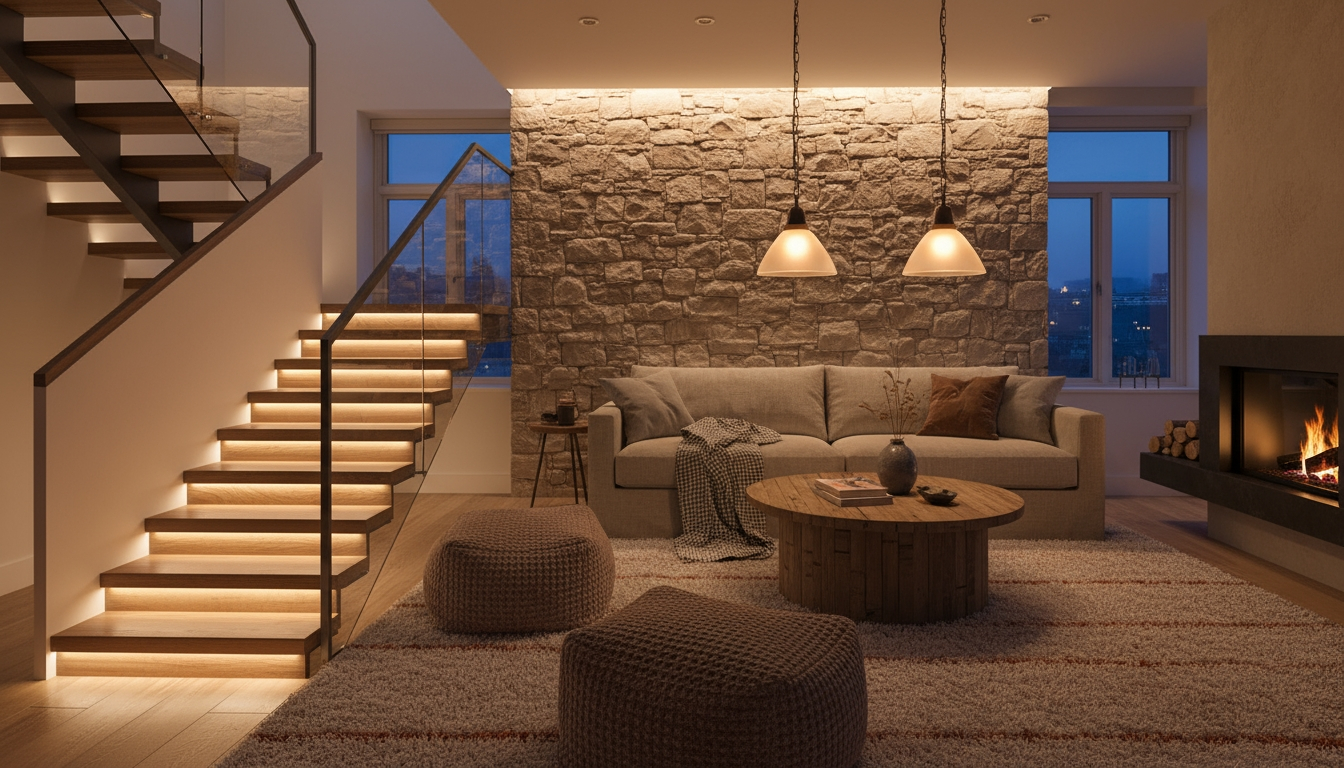
The first time a home feels truly smart is usually a light. Not a gadget demo, not an app tap—a light that lifts the moment you enter, waits, and fades away on its own. Lighting is the most noticeable proof of a thoughtful system: it shapes rooms, softens edges, and quietly keeps pace with you. Under SIMO.io, lights behave like that everywhere—by voice, by phone, by button, and by scripts that read like plain English.
We treat lighting as a living layer in the home: steady, predictable, and easy to adjust. Wire once, snap in modules, and let your SIMO.io hub coordinate dimmers, relays, groups, and scenes. When you want more, describe an outcome and SIMO.io returns a clean Python script you can open in Admin and tune in minutes. It’s the same posture across the board: readable, durable, and friendly to the person who lives with it.
What it feels like
Good lighting disappears. You notice the room, not the mechanism. In practice, that means:
- Steady comfort: kitchen worktops stay bright as daylight changes; evening scenes settle on a soft level without harsh jumps.
- Predictable results: midnight path lights are gentle; morning is brighter where it matters; stair treads glow from dusk till dawn.
- Fewer manual tweaks: a press here, a voice cue there—then the system keeps pace without overreacting.
When someone turns a knob or taps a switch, SIMO.io doesn’t fight it. Manual choices are respected. Automation acts with restraint.
Manual‑first posture, in plain terms: if you dim a lamp to 40% by hand, a presence routine won’t drag it back to 30% a moment later. Scripts check current state and act only when doing so helps. The result is smaller, idempotent steps—and a home that feels consistently calm.
How SIMO.io does lighting
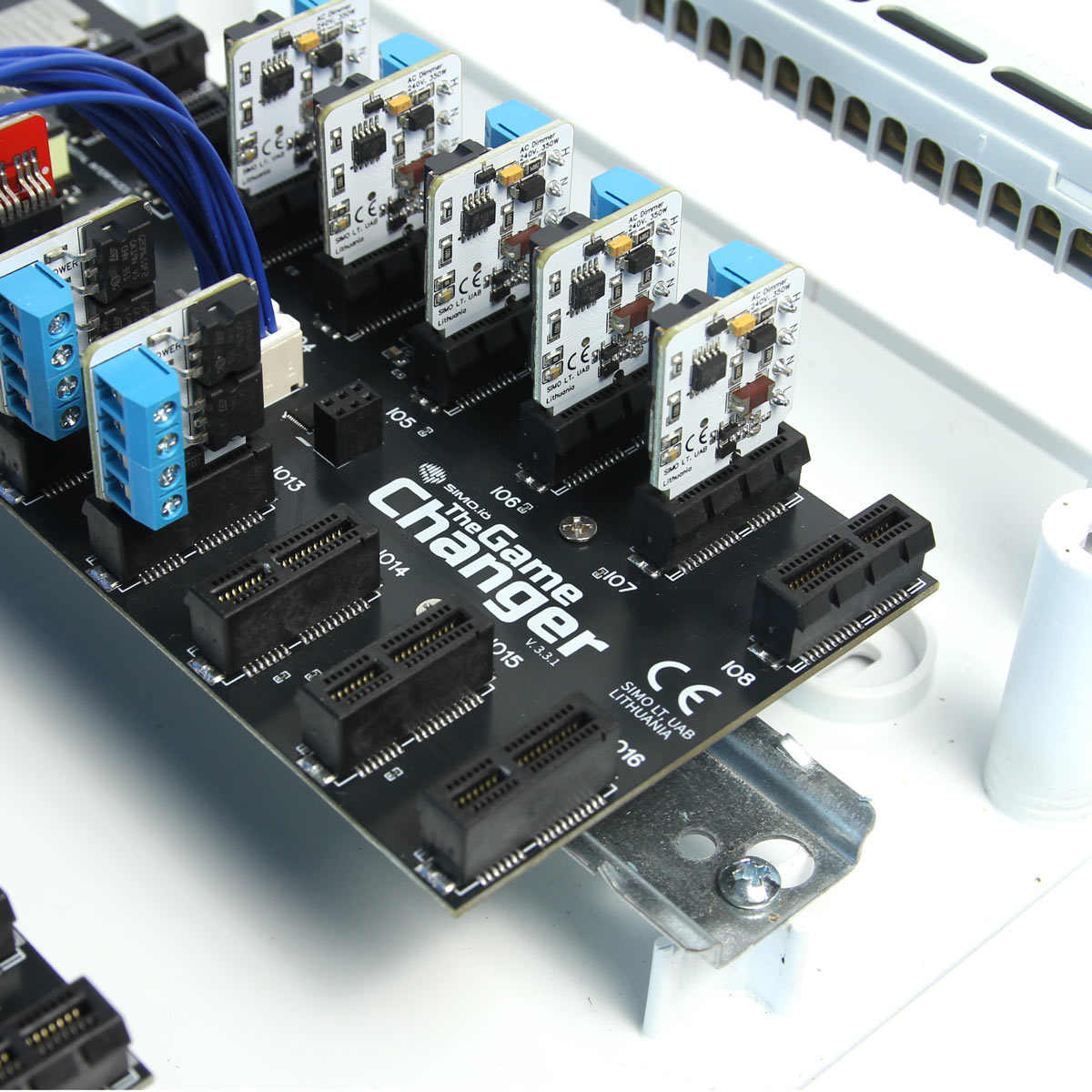
SIMO.io is wire‑first. The main board—The Game Changer—lives in a tidy panel and hosts snap‑in modules for relays, dimmers, buttons, and digital buses like DALI. You’ll typically place 2–4 panels across a property to keep runs short and service simple. Your SIMO.io hub sits on a UPS with your router; the house keeps working when the grid stumbles.
- Game Changer: the DIN‑rail main board with PCIe‑style module slots. All I/O in one place. Serviceable, swappable, built to scale.
- SIMO.io app: add components, adjust behavior, attach buttons, and build groups. It’s the daily driver.
- Sentinel: room‑aware voice that already knows your lights and groups; “SIMI…” starts a natural conversation.
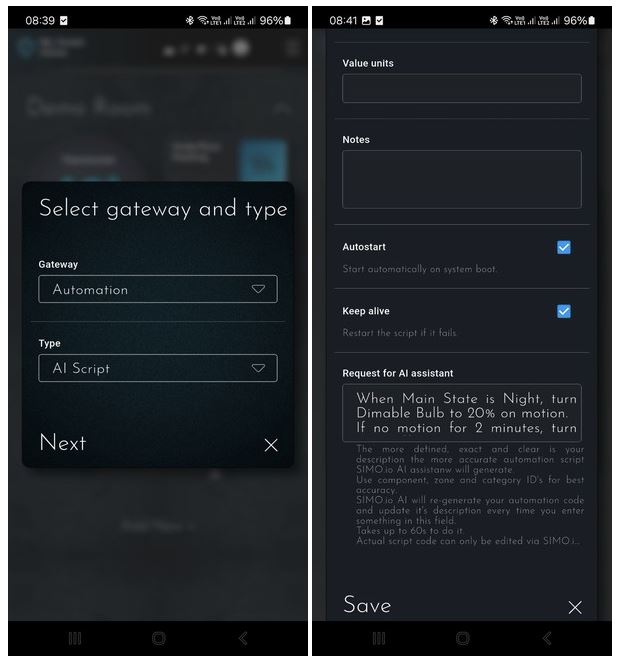
- AI scripts: when you want custom behavior, describe it; SIMO.io returns a clean Python script in ~60 seconds you can tune in Admin.
Control planes, explained: same‑board button links run directly on the Game Changer, so they keep working even if your hub or instance is remote or offline. Orchestration across rooms, floors, and scenes runs through the SIMO.io hub. You get resilience where it matters and coordination where it pays off.
Hardware you actually use
Everything starts with clear building blocks. Use the right module for the job and the rest stays simple.
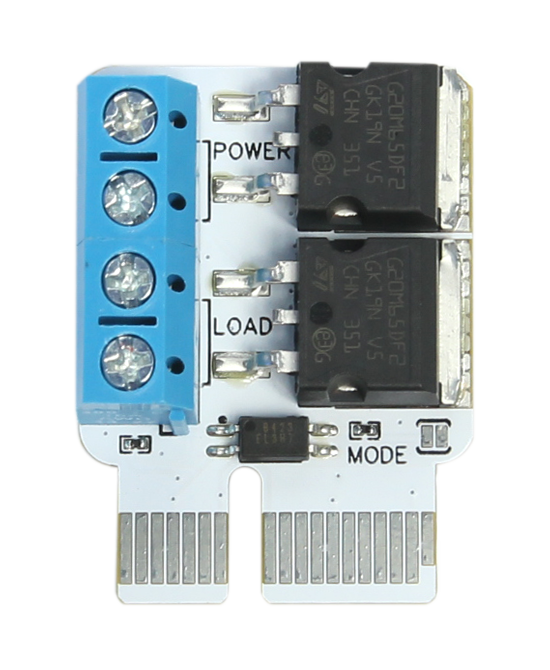
- Relay Module — on/off control for general lighting, lamps, valves, pumps, blinds, gates. Clear NC/NO wiring patterns. Quiet, dependable switching.
- AC Dimmer — dimmable bulbs on 230 V / 110 V AC. Leading/trailing‑edge support, with straightforward configuration in the app. Test LED bulbs for flicker/buzz and choose the best pairings.
- DC Dimmer (PWM) — constant‑voltage LED strips and DC loads. Clean low‑level response with device min/max, gentle fades, and natural curves.
- 0–10 V driver — architectural fixtures and drivers that accept analog control. Invert support where needed. Simple to wire, simple to set up.
- DALI interface — addressable lighting, groups, and scenes over a two‑wire bus (integrated 20 V, 250 mA PSU on the line). Excellent for large, coordinated installs.
- RGB/RGBW — color where it earns its keep—accents and ambient layers—without turning your home into an arcade.
Choose the right path
- DC Dimmer (PWM) for constant‑voltage LED strips and other DC loads; smooth low‑level control and tidy panels.
- 0–10 V when fixtures or drivers expect an analog control line and you want unified behavior across luminaires.
- AC Dimmer for mains dimmable bulbs where you prefer lamp simplicity over drivers—test pairings for flicker/buzz.
- DALI when addressable groups/scenes and real feedback on one bus justify the complexity (corridors, galleries, mixed fixtures).
- Relay when on/off is all a circuit needs (or as a safety layer for critical loads).
Buttons: the feel under your fingers
Buttons are the second half of good lighting. We recommend momentary buttons, not toggles. A momentary button can turn on/off with a tap, dim up/down with a hold, and jump to a preset with a double‑press. It’s the right feel—and it’s fast.
- Same‑panel (direct) control: if a button connects to the same Game Changer as a light, the board handles the link. Even if your hub or network is offline, that button still works—critical if you run a virtual instance.
- Across panels or one‑to‑many: create a Button component and attach it under Controls on the light, group, or dimmer you want. One button can steer many lights—even across boards.
- Where it lives in the app: open a Switch, Dimmer, Dimmable Lights Group, or On/Off Group → Edit → Controls. Add your button and choose how a press should behave.
Room and reach patterns
- Do this: wire a button on the same Game Changer as the light for resilient, direct control; attach a second, stand‑alone Button component to steer a room group across panels.
- Not this: wire three different physical buttons to the same target from three panels; it adds latency and confusion without adding value.
Wiring, simply
Standard low‑voltage and mains practices apply—keep it clean and safe. A couple of patterns are worth calling out for everyday installs:
- LED strips (constant‑voltage): AC mains → constant‑voltage DC power supply → DC Dimmer PWR (+/−) → DC Dimmer OUT (+/−) → LED strip (+/−). We recommend 24 V (or higher) strips for longer runs. Many 12 V strips struggle beyond ~5 m; one telltale sign is a brighter start and dimmer end. If you must use 12 V for length, feed from both ends.
- Dimmable bulb (AC): Line + Neutral → AC Dimmer input; Neutral + Load → lamp. Use compatible “dimmable” LEDs and test for quality.
- Buttons and sensors: connect to a Binary Input Module. We favor GND‑sense wiring for clarity and resilience.
- Fail‑safe choices: for indoor lights on relays, prefer a “normally on” pattern so a breaker still gives you useful control during service or handover.
- By design: AC/DC dimmers default to 100% on first power for resilience; you can then set the exact feel in software.
Linked lights (many as one)
Any switch or dimmer in SIMO.io can list other lights as followers—think of them as linked or mirrored lights. In the app, this appears as the Slaves field in the component’s configuration (the same form you see in Admin).
- Best practice: nominate one master per room; avoid chained masters (no master → follower → follower loops).
- Unlimited followers: add as many as you like; they will track the master’s on/off (and level for dimmers).
- Perfect sync on the same board: when master and followers live on one Game Changer, the move is effectively simultaneous.
- Near‑perfect across boards: followers on other boards track closely enough that most people won’t notice the difference.
- Where it lives in the app: open a Switch or Dimmer → Edit → Slaves and select the lights to mirror.
Groups that scale gracefully
Some rooms deserve one control for many fixtures. SIMO.io gives you two group types that match how homes are built:
- Dimmable Lights Group — a single dimmer that drives many dimmers/switches together. Great for open‑plan spaces, galleries, and whole‑room control.
- On/Off Group — one switch for many loads. Ideal for “all off,” per‑floor lighting, security and emergency light policies.
- Groups can mirror too: a group can have Slaves of its own for a few special fixtures; avoid controlling the same fixture twice (group membership vs slave mapping).
- Per‑floor aggregators: a stair landing button can toggle a floor group which in turn manages room groups—simple to live with, simple to service.
Each group can have buttons in its Controls section—put one button by the kitchen entrance that dims the whole room to supper, another by the sofa that settles the ambient layer for film night.
In the app: create a Dimmable Lights Group or an On/Off Group, add members (and linked followers if needed), then attach one or more buttons under Controls.
The feel of a dimmer
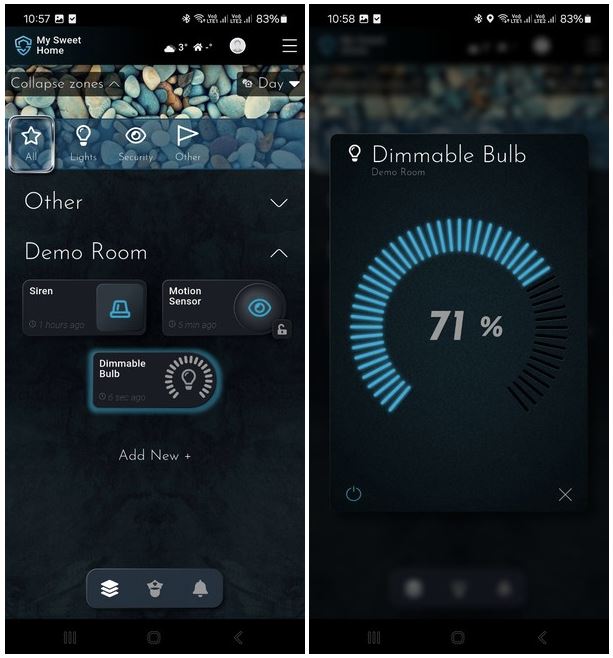
You can tune how lights arrive and leave: a quick snap‑in for task, a long, soft fade for night. You’ll see the Turn on time, Turn off time, and Curve (skew) fields in the Dimmer configuration. There’s also a Device min/max to keep low levels smooth and an optional On value for physical controls (use last value by leaving it blank). The defaults are sensible; change them when you want a different feel.
Quick feel presets
- Task: short on, short off—crisp, focused light when you’re working.
- Ambient: short on, long off—arrives neatly, leaves slowly so eyes never feel rushed.
- Path: gentle on, long off—welcoming at night, never abrupt.
Where DALI belongs
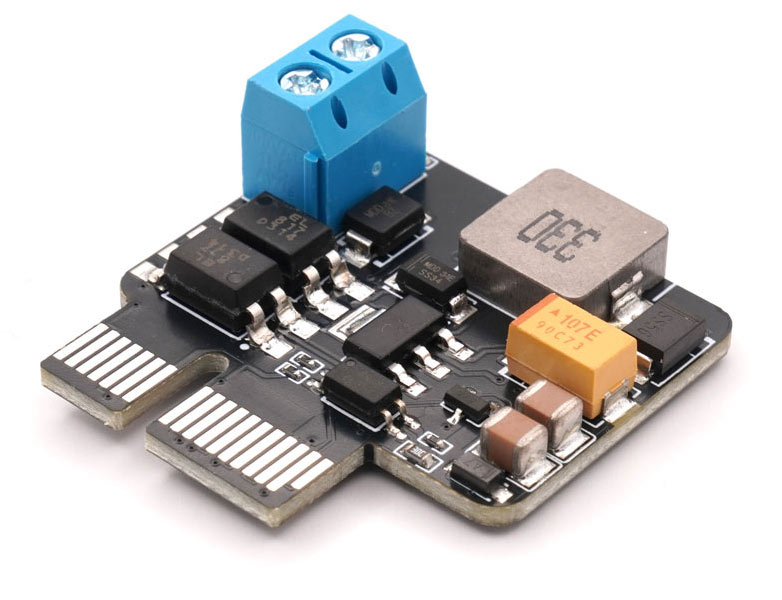
If you’re a DALI fan, we have you covered. Snap the SIMO.io DALI interface into the panel, land the two‑wire bus, and manage your DALI line like any other part of your SIMO.io smart home. Lamps, relays, DALI Gear Groups, occupancy sensors, light sensors, even DALI buttons—they all appear as first‑class components in the app. You select addresses and groups, set levels and fades, and build scenes with the same clarity you use everywhere else. The module includes an integrated 20 V, 250 mA line supply, and the software gives you full control: addressable devices, bus‑level groups/scenes, and two‑way feedback. Keep the lived experience coherent while enjoying what DALI does best.
Voice that learns your phrases
Say “SIMI,” and the room listens. Sentinel’s voice assistant already knows your rooms, groups, and lights through your SIMO.io hub. You can also teach it your own phrases:
- Teach once: “Whenever I say ‘good night,’ close the blinds, turn off every light except the stair path, and set the bedroom to 20%.”
- Use it forever: “SIMI—good night.” The assistant remembers and carries it out.
Voice for hands‑busy moments; buttons for muscle memory; the app for overview. Everything stays in sync.
A few examples you’ll recognize
- Kitchen presence + daylight: task lights hold steady on the worktop while the perimeter tracks sun and clouds. Buttons: tap for bright, hold to trim, double‑press for supper.
- Stair safety: a gentle tread glow from dusk till dawn, lifted by presence and eased back after a linger time you choose.
- Guest welcome: a button near the entry toggles a “welcome” level across hall and living, then times out gracefully later.
- Whole‑home goodnight: an On/Off Group drops everything to off except a path to bed; your phrase makes it feel like magic.
What makes this sustainable over years
The tricky part of lighting control isn’t day one—it’s the changes you make later. SIMO.io favors durable choices: wiring you won’t regret, modules you can swap, forms that read plainly, and scripts that explain themselves. Add linked lights later without rewiring. Attach a new button in minutes. Convert a messy rules chain into a readable script you can hand to a colleague. That’s the kind of order that stays pleasant five winters from now.
Silent, soft magic—every day. Lights that meet you where you are and step back when you don’t need them. That’s SIMO.io smart home supremacy lighting.