Authority should feel effortless. In SIMO.io, it is. The hub holds quiet power; roles express where that power flows. Day to day, everything happens locally on your network—steady, immediate, predictable. When you need to sign in, the cloud lends a hand. Professional control that reads like confidence and moves like silk.
Local authority. Cloud when it adds value.
Wire‑first by doctrine. Professional by default.
Authority map — hub to instance to Component
SIMO.io hub
One hub can serve multiple SIMO.io smart home instances on the same LAN. Use it when a single property splits into several apartments, outbuildings, or you simply keep a test sandbox alongside production.
SIMO.io smart home instance
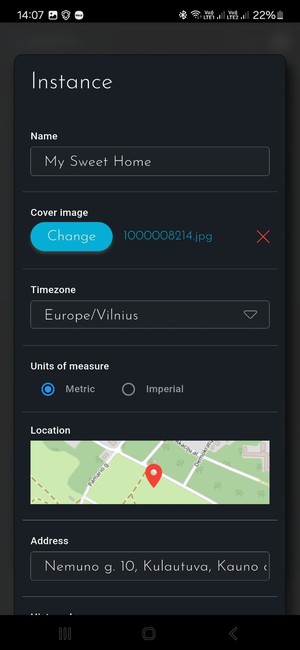
Each instance contains your Zones, Components, Categories, SIMO.io Fleet Colonels and other instance‑bound objects. Roles are assigned per instance.
Component
Light, lock, thermostat, gateway, Script—everything is a Component. Permissions are precise and local to each Component.
Virtual instance: when you create a virtual SIMO.io smart home instance (cloud‑hosted hub), you become the Instance superuser in the SIMO.io app.
Local hub: the first person who creates the first instance becomes a hub master automatically.
Hub master authority — quiet power, clear boundaries
Hub masters are the highest local authority on a hub.
- Open and operate any instance on that hub—even without being a member of that instance.
- Use Hub management in the SIMO.io app: Upgrade, Restart (services), Reboot (host).
- Access Django Admin and SSH (key‑based).
Creation and count
The first instance creator on a local hub becomes a hub master. You can have multiple hub masters. Grant or remove hub‑master status in Django Admin (Users → Users → is_master).
Safeguard that never bends: the system will not allow deleting or demoting the last hub master.
Disable and delete — how they interact with hub masters
Instance actions in the app (Disable/Delete) affect that instance membership. A hub master who holds no role in an instance can still enter and operate it. To fully paralyze a hub master, they must end up with no active roles in any instance on that hub. When that happens, Django Admin access is removed and their SSH key is dropped from /root/.ssh/authorized_keys.
Ethics for pros. Peace of mind for owners:
- Installers use the built‑in Admin role when joining an instance. Your presence stays visible; owners can disable you when work is done.
- Owners should insist on at least one owner‑controlled hub master at handover and review hub masters together in Django Admin.
Instance roles — professional by default
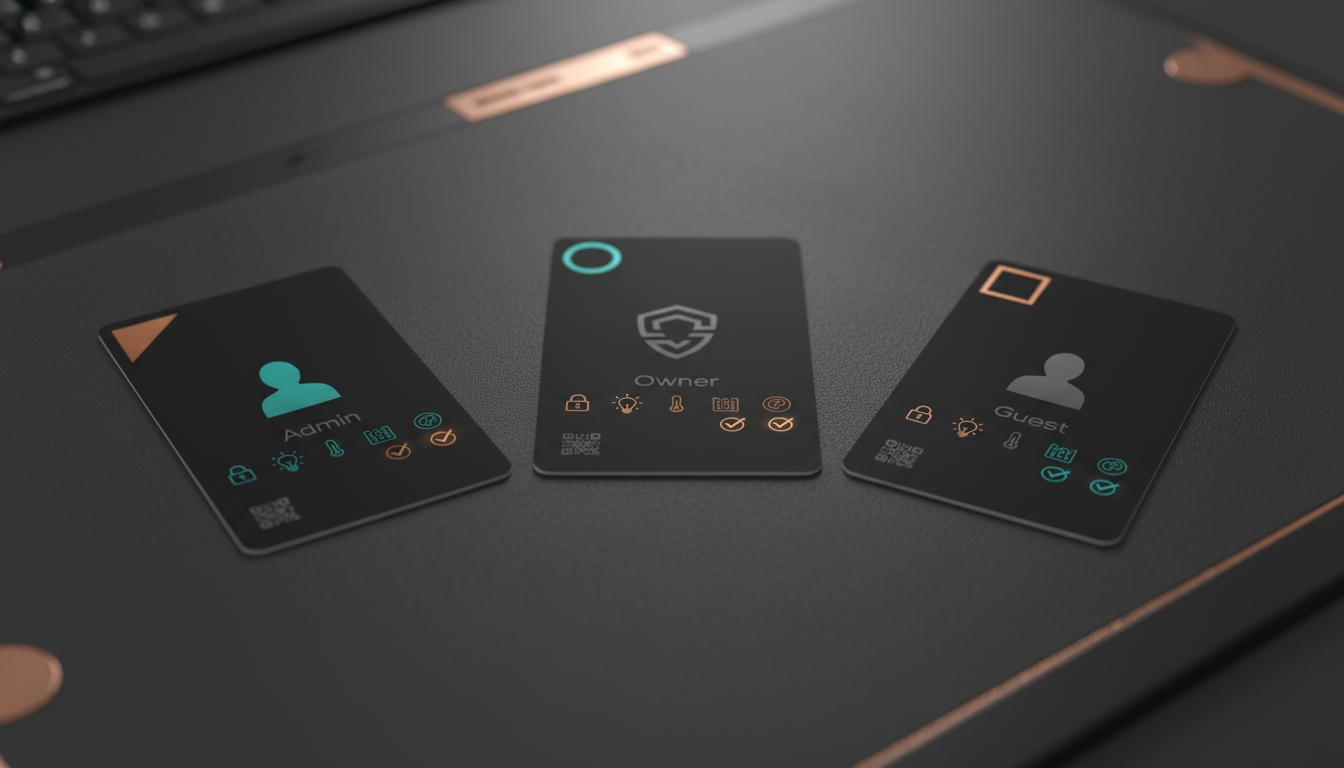
Admin
- is_superuser=True
- is_owner=True
- can_manage_users=True
- is_person=True
- is_default=False
The installer’s seat. Full control in the SIMO.io app. Bypasses per‑Component permissions.
Owner
- is_superuser=False
- is_owner=True
- can_manage_users=True
- is_person=True
- is_default=True
The property owner. Operates everything granted, organizes Zones and Categories, adjusts owner‑safe options, manages users. No destructive system changes.
Guest
- is_superuser=False
- is_owner=False
- can_manage_users=False
- is_person=True
- is_default=False
Starts with no access. Grant per‑Component Read/Write selectively.
Custom roles: create and tune in Django Admin → Users → Roles. Available fields: Is owner, Can manage users, Is superuser, Is person, Is default.
Component permissions — simple and precise
Open permissions: long‑press a Component’s widget for ~2 seconds → “Component permissions.”
Who appears: all roles with is_superuser=False (Owner, Guest, and any custom roles). Admin does not appear; Admin can operate everything.
- Read — see the Component, its current state, and history.
- Write — operate the Component.
- Owner + Write — adjust owner‑safe options.
- Superuser — change all parameters; delete the Component.
Hidden means hidden: without Read, the Component does not exist for that user in the app.
Security‑critical devices: locks, alarm, and gates are treated like any other Component. If you grant Write, users can act. Keep Write limited to trusted roles.
Script type Components follow the same permissions as any other Component.
Managing people — clear actions, instant effect
Where to work: in the SIMO.io app, inside an instance → top‑right menu → “Users.”
- Each row shows Name, Role, and a red X.
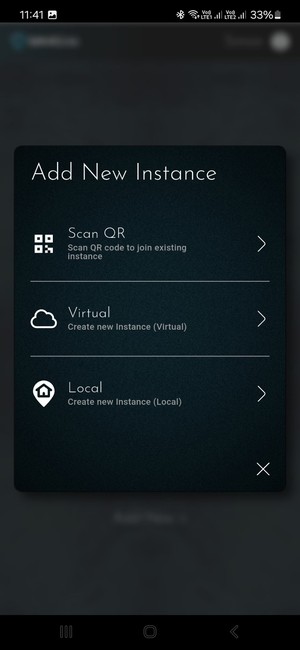
- “Add New +” to invite via QR or Email.
- Change roles in place.
- Tap the red X to choose Disable or Delete.
Disable: suspends access to this instance immediately and ends the session. If, after disabling, the person has no active roles on any instance on this hub, their Django Admin access is removed and their SSH key is removed from /root/.ssh/authorized_keys.
Delete: removes the person from this instance. If it was their only membership on the hub, the user object is deleted. Component history remains.
- Who can act: any role with Can manage users can invite, change roles, disable, and delete.
- Guardrail: the system will not allow deleting or demoting the last hub master.
- Note: to use the “Users” screen in an instance, you must hold a role in that instance—even if you are a hub master. A hub master without a role can still enter and operate the instance, but cannot manage users there.
Invites — QR and email done right
- Payload: a one‑time token and the hub’s remote URL.
- Expiry: 14 days.
- One time: yes.
Flow: “Users” → “Add New +” → choose “Scan QR” or “Email invite.” The default role (typically Owner) is preselected; change it per invite. The role is assigned at redemption.
- QR on LAN: if the joining device is already signed in to the SIMO.io app, redemption works without internet.
- Email: deep link opens the SIMO.io app and drives sign‑in/sign‑up.
- Visibility and revocation: invites are listed and revocable in Django Admin. The SIMO.io app does not list or revoke issued invites.
- Binding: each invite is bound to one hub and one instance. Screenshots won’t work elsewhere.
People and devices — presence‑aware by design
is_person=True
- Real people appear in the app’s top bar (full‑color when home, grayscale when away).
- Presence flags inform SIMO.io AI features.
is_person=False
- Use for kiosks and wall tablets. Onboard like any user.
- Security follows the device’s OS. Choose screen locks and placement to match your comfort.
A practical “Tablet” role: is_superuser=False, is_owner=False, can_manage_users=False, is_person=False. Give Read widely for shared status; grant Write only for shared‑space comfort (lights, shades, AV). Keep locks and alarm off by default.
Common tasks — quick steps
Switch instance
- Top‑right menu → “Switch Instance.”
- Pick where you want to work.
Invite someone with QR
- Inside the instance: menu → “Users.”
- Tap “Add New +” → “Scan QR.”
- Confirm the role and show the code.
- The person scans it in their SIMO.io app.
Set per‑Component permissions
- Long‑press the Component for ~2 seconds.
- Choose “Component permissions.”
- Toggle Read/Write per role. Admin is implicit.
Disable or delete a user
- Menu → “Users.”
- Tap the red X, choose Disable or Delete.
- Understand the scope: instance only. If it’s their last active role on the hub, Admin and SSH access are removed automatically.
Promote an additional hub master (Django Admin)
- Django Admin → Users → Users.
- Open the user and enable is_master.
- Save.
FAQs — sharp and useful
Can a hub master operate an instance without being a member?
Yes. Hub masters can open and operate any instance on the hub. Instance‑level Disable/Delete only affect that instance membership. To fully remove a hub master’s power, ensure they hold no active roles on any instance on that hub.
Can an Owner disable an Admin?
Yes. Owners with Can manage users can disable or delete Admins at the instance level. If that Admin has no other active roles on the hub, their Django Admin and SSH access are removed.
Does Admin honor per‑Component permissions?
No. Admin bypasses Component permissions and can operate everything at the instance level.
Can I change the default role used on invites?
Yes. Set a role as Is default in Django Admin. You can still override the role for each invite in the app.
Do QR invites work without internet?
Yes, on LAN—if the joining device is already signed in to the SIMO.io app. Email deep links require sign‑in.
Calm certainty, lived every day
This is what professional feels like at home: authority grounded in your SIMO.io hub, roles that map to real life, permissions that are simple to set and impossible to misunderstand. Wire once. Snap in modules. Scale without rework. Local authority when you need speed; cloud only when it adds value. Quiet, protective, reliable, inevitable.
SIMO.io — Smart Home Supremacy


_medium.jpg)