


Smart Home Heating & Cooling
Comfort that minds its manners: steady rooms, simple holds, and readable control. Under SIMO.io, heating & cooling stay calm and easy to adjust.
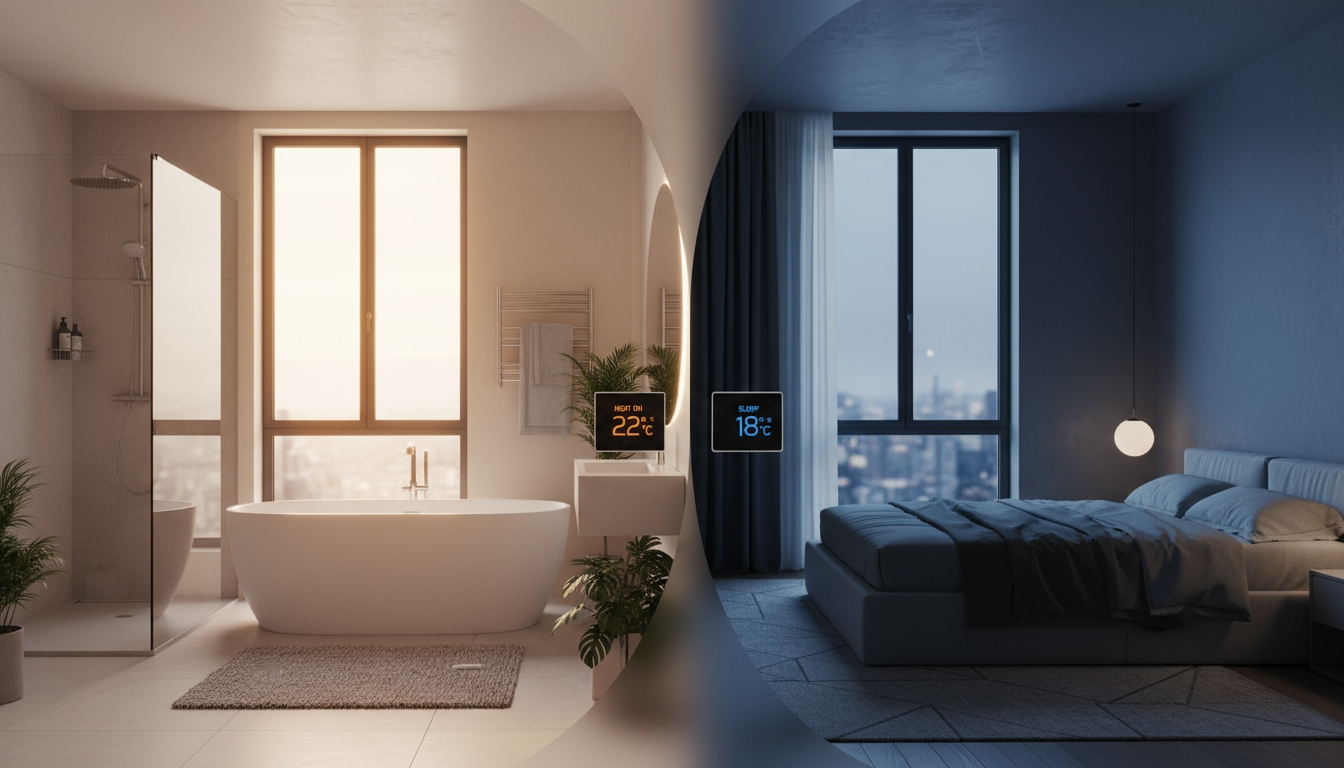
Comfort should feel invisible. Rooms that hold temperature without swings. Bathrooms that are warm before you step in. Bedrooms that cool gently at night. SIMO.io treats heating and cooling with disciplined simplicity: readable components, predictable behavior, and fast, human‑friendly control—by phone, by voice, by button, or by a Python script you can understand at a glance.
Wire once. Snap in modules. Map sensors, valves, fans, and drivers as first‑class Components in the SIMO.io app. When you want a custom behavior, describe the outcome—SIMO.io returns a clean Python script in ~60 seconds you can refine in Admin. The posture is the same across the system: professional by default, clear to read, calm to live with.
What it feels like
Good climate control disappears into your day. The house responds, then gets out of the way.
- Steady comfort: small, confident corrections—not blasts or seesaws.
- Morning on time: bathrooms pre‑warm; living spaces arrive at temperature, not 30 minutes after you sit down.
- Night that actually rests: bedrooms ease cooler without jolts; fans step down quietly.
- Fewer manual tweaks: a voice phrase or button handles the exception; the system holds the rest.
Manual‑first posture: when you nudge a setpoint, SIMO.io doesn’t fight you. Automations check current state and act only when it helps. The result is small, idempotent steps—and a home that stays calm.
The building blocks
Heating and cooling under SIMO.io is made of clear parts you can reason about. Each appears as a Component in the app and can be used as simply or as powerfully as you like.
- Temperature & humidity sensors — Numeric or multi‑sensors provide clean signals. With a Temp+Hum sensor, Thermostats can use real‑feel (heat index) for steadier comfort across seasons.
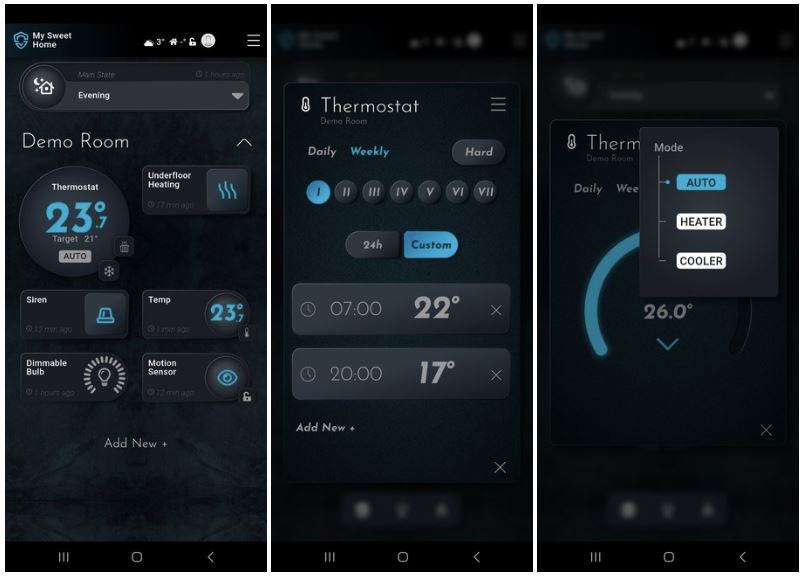
- Thermostat — A first‑class Component with Dynamic or Static engagement, optional real‑feel, per‑room zoning, and a schedule you can actually read.
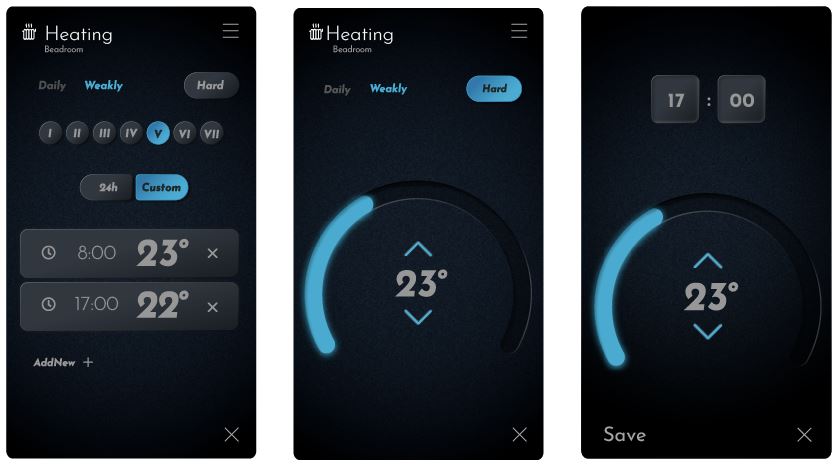
- Heaters & coolers — Attach relays, dimmers, and drivers as heating/cooling actuators. Underfloor manifold valves, towel rails, electric radiators, fan coils, dampers—map them openly, not through a “black box.”
- Drivers & valves — Relay Module for on/off valves and compressors; Dual Motor Valve for motorized actuators; 0–10 V driver for modulating valves, dampers, and fan speeds.
- Buttons & voice — Momentary buttons for boost/eco; “SIMI” for hands‑busy moments (“hold bathroom at 23 °C”, “resume schedule”).
Thermostats that read like plain language
SIMO.io Thermostats favor clarity over cleverness. They expose what matters and hide what doesn’t.
- Dynamic vs Static — Dynamic scales engagement intensity; Static engages/disengages fully. Pick the feel that fits the device: Static for on/off valves; Dynamic for modulating outputs.
- Real‑feel (optional) — With Temp+Hum sensors, enable humidity‑aware comfort so 21 °C in February doesn’t feel like 21 °C in July.
- Schedules that read like a diary — 24‑hour simple targets or custom time blocks; weekly patterns that match real life.
- Per‑room zoning — Each room can own a Thermostat and the actuators that serve it. Clean mapping beats hidden magic.
Heating and cooling, one thermostat
A single SIMO.io Thermostat can manage both heating and cooling for a room or zone. Attach your heaters (for example, underfloor valves, electric radiators) and your coolers (for example, fan coils, dampers, heat‑pump calls) as actuators. The Thermostat engages the right side based on current vs target temperature and your chosen behavior (Dynamic or Static). Use 0–10 V for modulating valves or fan speeds; use relays for stageable equipment and safety interlocks. The experience in the app stays the same: readable, predictable, and quick to adjust.
Hardware choices that age well
Use the right module for the job and the system stays simple to live with and service.
- Relay Module — On/off valves, pumps, and compressors. For underfloor manifolds, we recommend normally open valves for resilience: if power fails, heat continues (safer than no heat). If you must use normally closed, drive them so that power present = open.
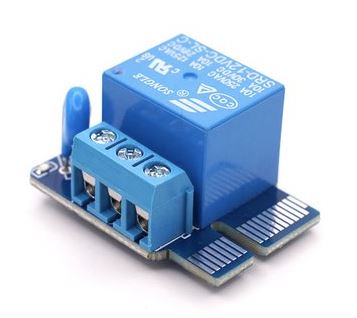
- Dual Motor Valve — For motorized valves and dampers with separate open/close relays and timed travel.
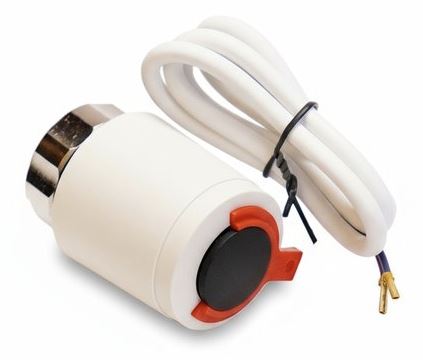
- 0–10 V driver — Modulate valves, dampers, or fan speed controllers; pair with a relay when a safety interlock is needed.
- Temperature & humidity sensors — Use per‑room sensors for precise zoning; keep an indoor reference sensor for whole‑home context.
Buttons and phrases that fit your life
Buttons and voice keep heating and cooling fast when your hands are busy or wet.
- Boost — A momentary button near a bathroom toggles a 30‑minute warm‑up (implemented as a Thermostat hold).
- Eco — A button near the door steps a floor back 2 °C when you leave.
- Voice — “SIMI, set bedroom to 19 °C,” or “SIMI, hold living at 22 °C.” To return to your schedule: “SIMI, resume schedule.”
From intent to local control in a minute
Some routines belong in a script. With SIMO.io you write a plain‑language request—“Pre‑warm the bathroom 30 minutes before my weekday alarm; release at 07:45”—and get a clean Python script in ~60 seconds. It runs locally on the hub, is easy to read, and won’t fight you when you act by hand.
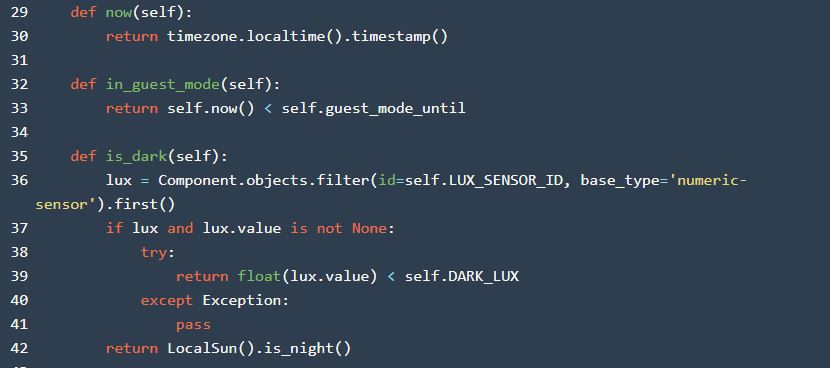
- Event → guard → action: alarm triggers, check it’s a weekday and someone’s home, then hold the bathroom to temperature and release on time.
- Manual‑safe: if someone lowers the setpoint at the wall, scripts don’t snap it back thoughtlessly.
Patterns that feel good day to day
- Bathroom pre‑warm — 30 minutes before wake, hold to 23 °C; release at 07:45 so the room doesn’t overrun.
- Living taper — at 21:30, step target down by 0.5–1 °C; at 22:30, step again; mornings feel fresher without a jolt.
- Presence‑aware setback — when nobody is home, drift targets down a couple of degrees; restore instantly on return.
- Sunny side assist — if the south rooms are already warm from sun, trim engagement there while the north rooms hold steady.
Acceptance walk (quick, decisive)
- Sensors read plausibly; Temp+Hum sensors show stable values in rooms at rest.
- Thermostats map to the right actuators (heaters/coolers) and respect manual nudges.
- Boost/Eco buttons work from entries, bathrooms, and key points.
- You can remove a Hold to return to the schedule; no fights at the wall or in the app.
- Underfloor valves move as expected (prefer normally open); fan coils modulate smoothly via 0–10 V.
- Voice phrases taught and confirmed: “good morning warm‑up,” “good night taper.”
Comfort that minds its manners. Warm when it should be, cool when it matters—quietly predictable, easy to adjust, and built to last. That’s SIMO.io smart home supremacy heating & cooling.